

Project history
Project history has been sunset (24 June 2026). The standalone Project history page has been removed. Version history, including event type, author, timestamp, and version diffs, now lives directly on the Deployments page. See Compare versions for side-by-side diffs between any two versions.
The information below describes the previous Project history page and is preserved for reference only.
Use Project History to audit when changes were made, who made them, and what went into each version. When diagnosing regressions, you can identify exactly which version introduced a problem and roll back if needed. A complete audit trail supports compliance requirements and team accountability.
The Project history page was previously found under Deployments > Project history. Each entry showed the event type, author, and timestamp.
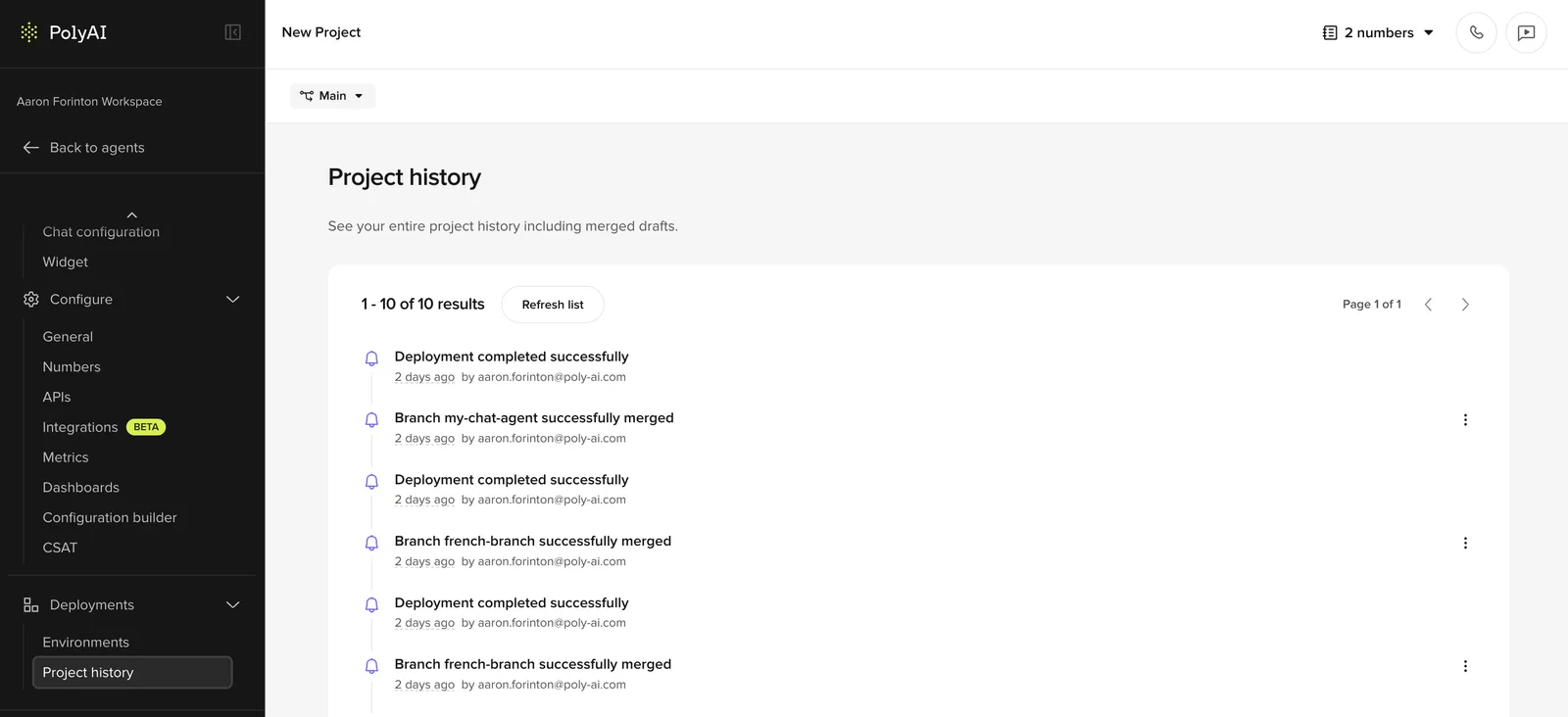
Viewing history
- Go to Deployments > Project history in the sidebar.
- Versions appear in reverse chronological order (newest first).
- Each entry shows the event type (published version, branch merge, or deleted draft), description, author, and timestamp.
Comparing versions
Select any two versions to view a side-by-side diff of changes.
Compare versions to:
- Audit what changed between deployments
- Review changes before promoting to a new environment
- Diagnose issues introduced in a specific version
For more details on version comparison, see Compare versions.