

How to invite users
Add team members to your PolyAI account so they can collaborate on building and managing agents. Only users with the Admin role can invite new users.
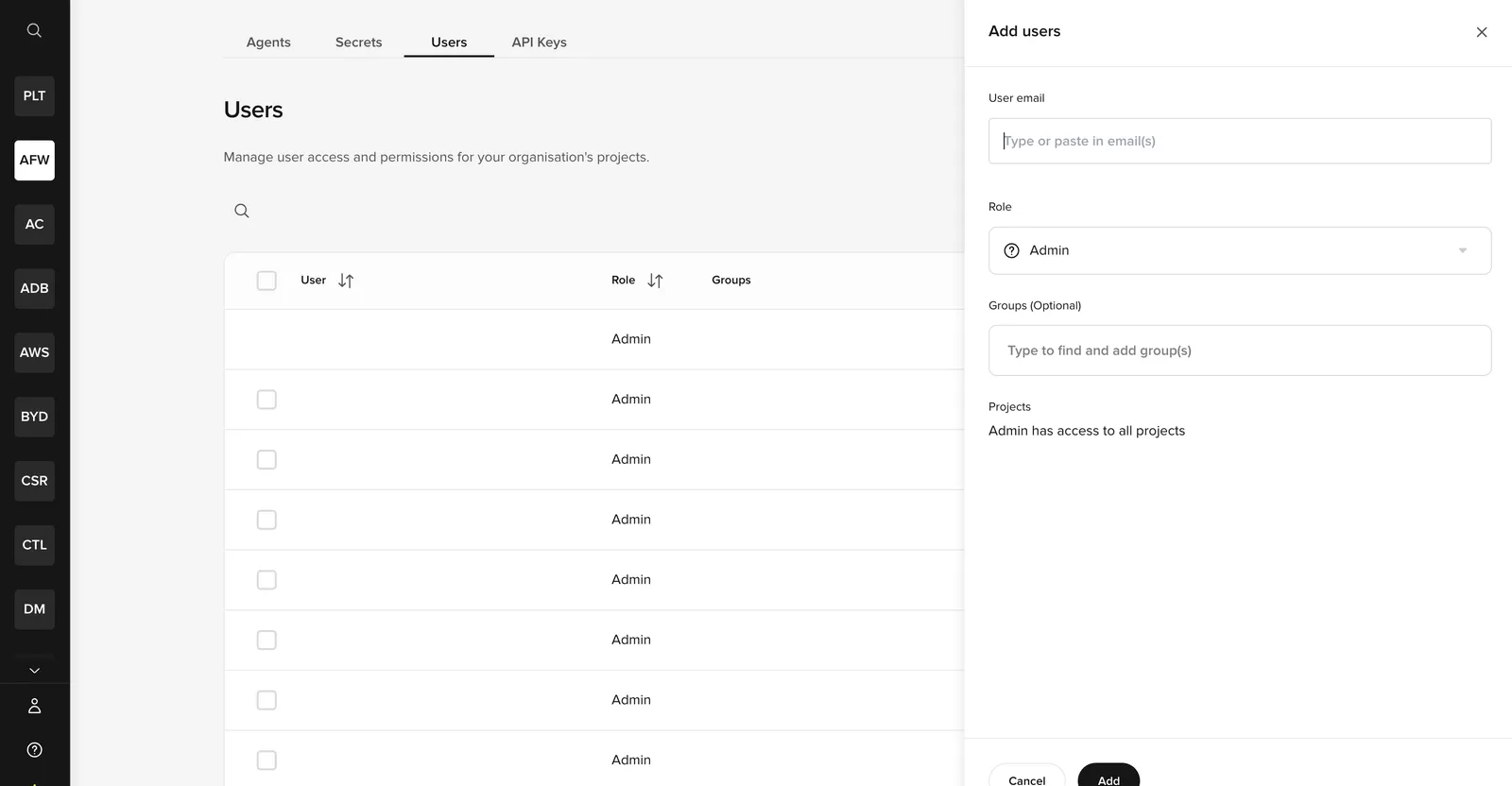
Invite a user
Open user management
Go to the Users tab on the workspace homepage (next to Agents, Secrets, and API Keys).
Enter email addresses
Type one or more email addresses. You can invite multiple users at once by entering each address separated by a comma or pressing Enter.
Assign a role
Choose Admin or Member:
- Admin – Full access to all features, including user management and billing.
- Member – Access determined by granular permissions you configure after the invite.
Assign to a group (optional)
If your account uses groups, select which group the new user belongs to.
Confirm
Click Confirm. The invited user does not receive an invitation email automatically. To access the account, they need to go to the login page, enter their email, and click Forgot password? to set a password via the reset flow.
After inviting a Member, configure their permissions to control which areas of Agent Studio they can access. If a Member is not assigned to any projects, they will see a “Page not found” screen when they log in – make sure to assign at least one project after inviting them.