

PolyScore
PolyScore is an AI-powered quality score assigned to every eligible voice call. It evaluates the transcript and produces a normalized 0–10 rating along with per-dimension breakdowns, helping you identify strong and weak conversations without manual review.
PolyScore and Call Summaries use GPT-5 for quality assessment, providing detailed explanations for each score dimension.
How scoring works
PolyScore evaluates every eligible voice conversation automatically. The model reads the full transcript and rates six behavioral signals, which are combined into two sub-scores and then normalized to a 0–10 scale.
Overall score
The overall PolyScore is a number from 0 to 10, displayed as a color-coded badge in Conversation review:
Dimensions
PolyScore evaluates three dimensions, each contributing to the overall score:
Each dimension is rated as Poor, Fair, or Good with a text explanation. You can view per-dimension ratings and explanations in Conversation review.
In Agent Studio, conversation quality and customer experience are combined into a single Agent Quality sub-score in the UI, alongside a separate Task Success sub-score. The underlying three-dimension model is the same.
Where PolyScore appears
- Conversation review – Score badge at the top of each transcript, with expandable dimension breakdowns
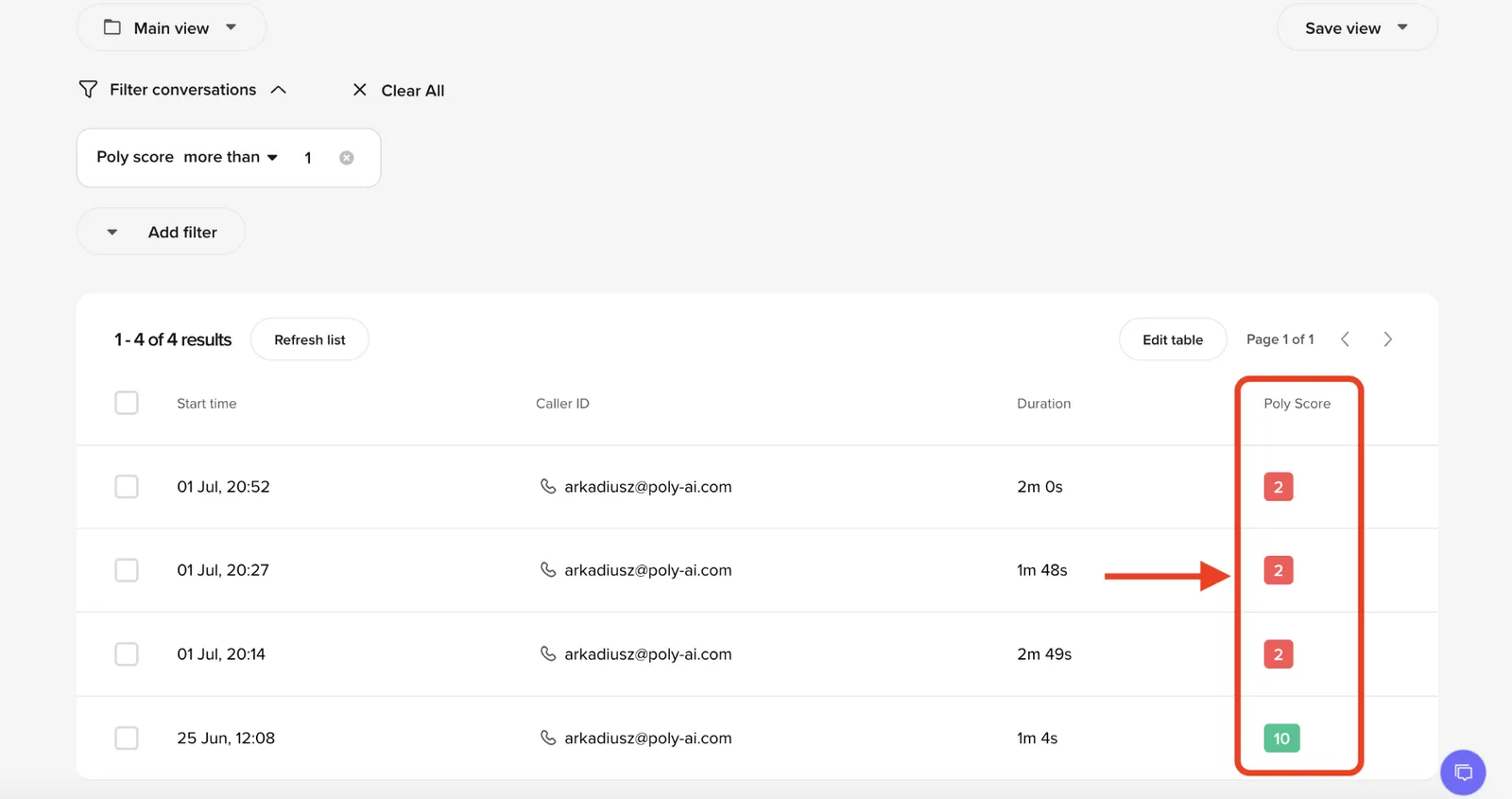
- Conversations table – Sortable PolyScore column for quick quality scanning
- Home page – Average PolyScore trend chart under Quick Insights
- Smart Analyst – Use PolyScore as a sampling criterion or query PolyScore tables directly via SQL
- Conversations API – PolyScore data is available in the API response when the conversation has been scored
Eligibility
Not all conversations receive a PolyScore:
Limitations
PolyScore evaluates conversations based on the transcript alone. It does not have access to your knowledge base, flows, external systems, or expected outcomes.
This means:
- PolyScore cannot verify whether an action was actually completed in an external system (e.g., a booking made, an appointment canceled). It can only assess whether the conversation appeared to resolve the task based on what was said.
- PolyScore does not know what the agent should have said – only what it did say. If the agent confidently gave an incorrect answer, PolyScore may still rate the conversation highly.
- Scores reflect conversational quality, not business accuracy. Use PolyScore alongside your own QA processes and custom metrics for a complete picture.
Interpreting scores
Use PolyScore as a screening tool, not a definitive quality judgment:
- High scores (7–10) – The conversation flowed well, the user’s request appeared resolved, and they did not show frustration. Worth spot-checking to confirm the agent followed the correct process.
- Medium scores (4–6) – Some issues were detected. Review the dimension breakdowns to understand whether the problem was conversational flow, task completion, or user experience.
- Low scores (0–3) – Significant issues detected. Prioritize these for manual review to identify knowledge gaps, flow problems, or agent behavior issues.
Filter conversations by PolyScore in the Conversations table to build a daily QA workflow – review a sample of low-scoring voice calls to catch recurring issues early.