

4.2025
The April 2025 PolyAI Agent Studio release includes new tools for call review, debugging, and utility development.
Expand the items for details:
Information architecture updates
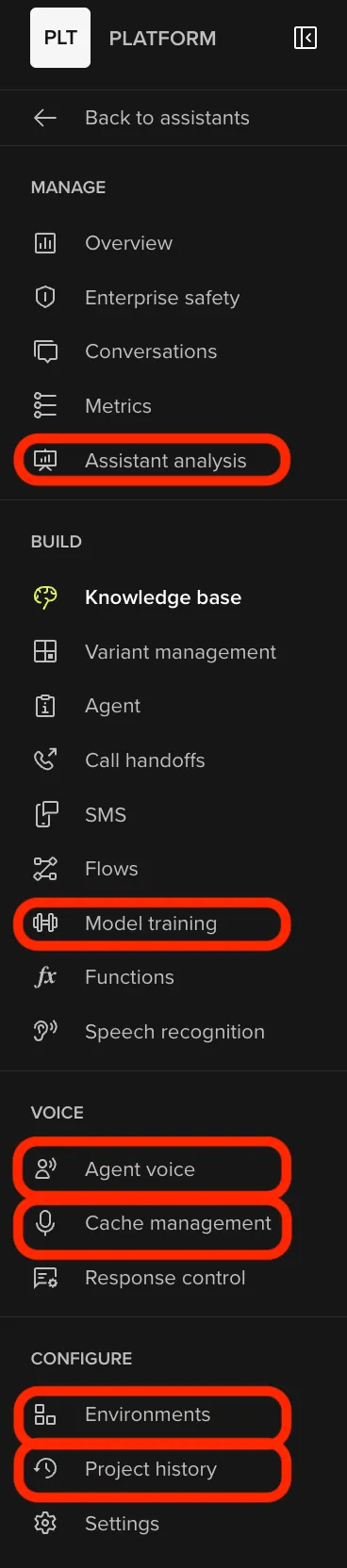
We have refined the sidebar layout to better group tools by function and clarify where key capabilities live. Think of this as a smart re-balancing of where things go and a review of section naming.
What’s new, renamed, or moved:
Analyze renamed to Manage
- Agent Analysis → New feature. See below for more details.
Build
- Agent → Renamed from About.
- Model Training → Moved here from Annotations, previously under Conversation Review.
- Variant Management → Moved here from the Configure menu.
Voice
- Agent Voice → Moved here from Configure (combines features previously under Voice and Rules)
- Cache Management → Previously the Audio Management tab.
Configure
- Environments and Project History → New sections, previously under Environment & Versions.
Why it matters
These adjustments make it easier to find what you need, reduce clutter, and prepare the platform for future capabilities.
Metrics
You can now generate LLM-powered performance metrics in the PolyAI Agent Studio using the new Agent Analysis flow. Define a custom prompt and category set, then run it across a batch of calls to generate insight-rich evaluations and visual summaries.
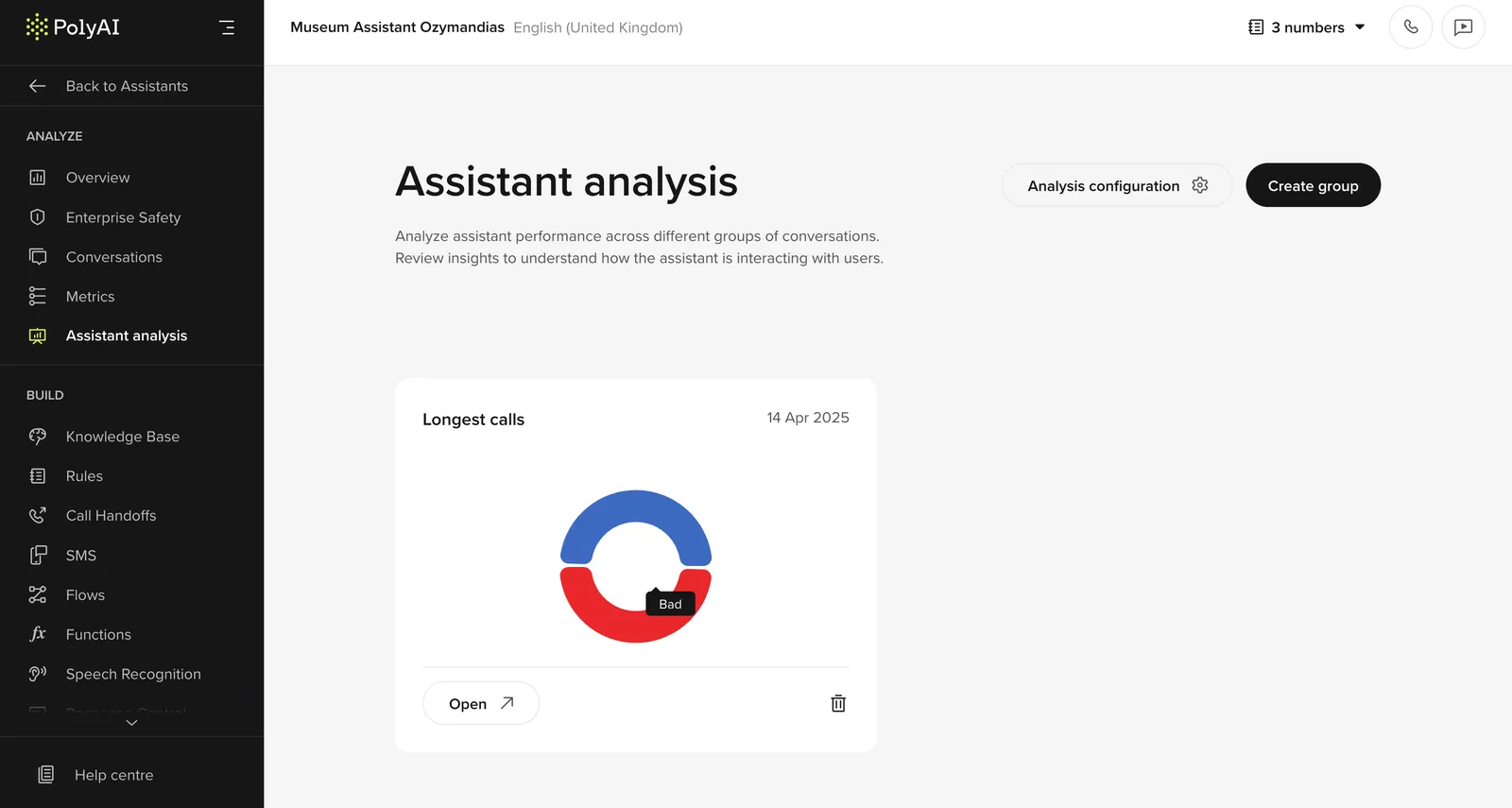
How it works:
- Create a custom evaluation prompt, with categories and descriptions
- Select a batch of calls using the Agent Analysis feature.
- Automatically assess agent performance across key custom criteria like tone, intent success, or compliance (or any other potential variables)
- View results in a dedicated Agent Analysis UI, with graphs showing how your calls measure up against each evaluation axis
Live collaboration and edit history
Agent Studio now supports real-time collaboration and edit tracking across your team.
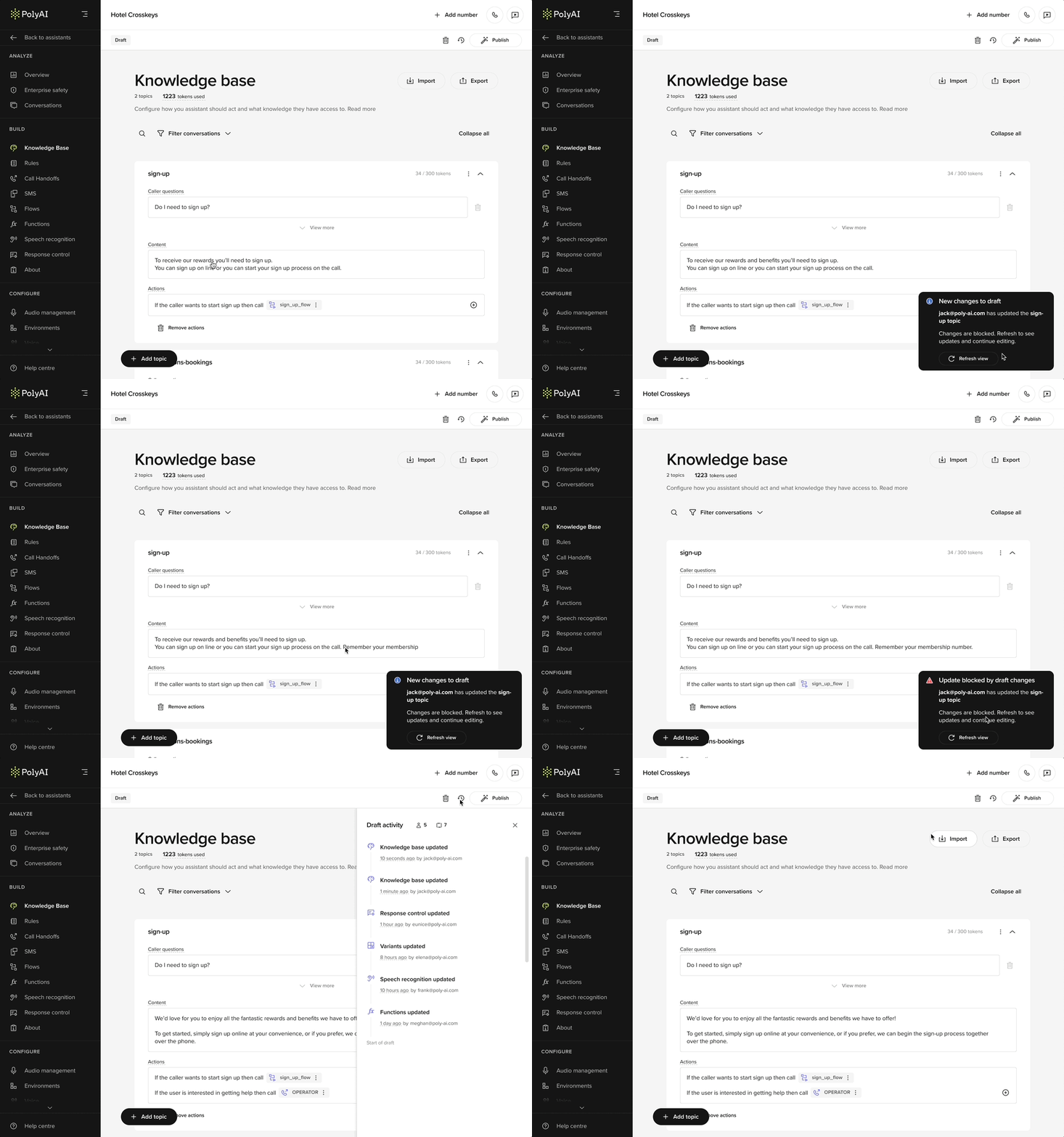
Multi-user refresh view in action
How it works:
- See who else is editing a draft in real time.
- Receive notifications when changes are saved by others.
- Copy unsaved edits before refreshing to avoid overwriting.
- View full change logs using the history panel.
Call categorization
You can now use an LLM to review and rate calls.
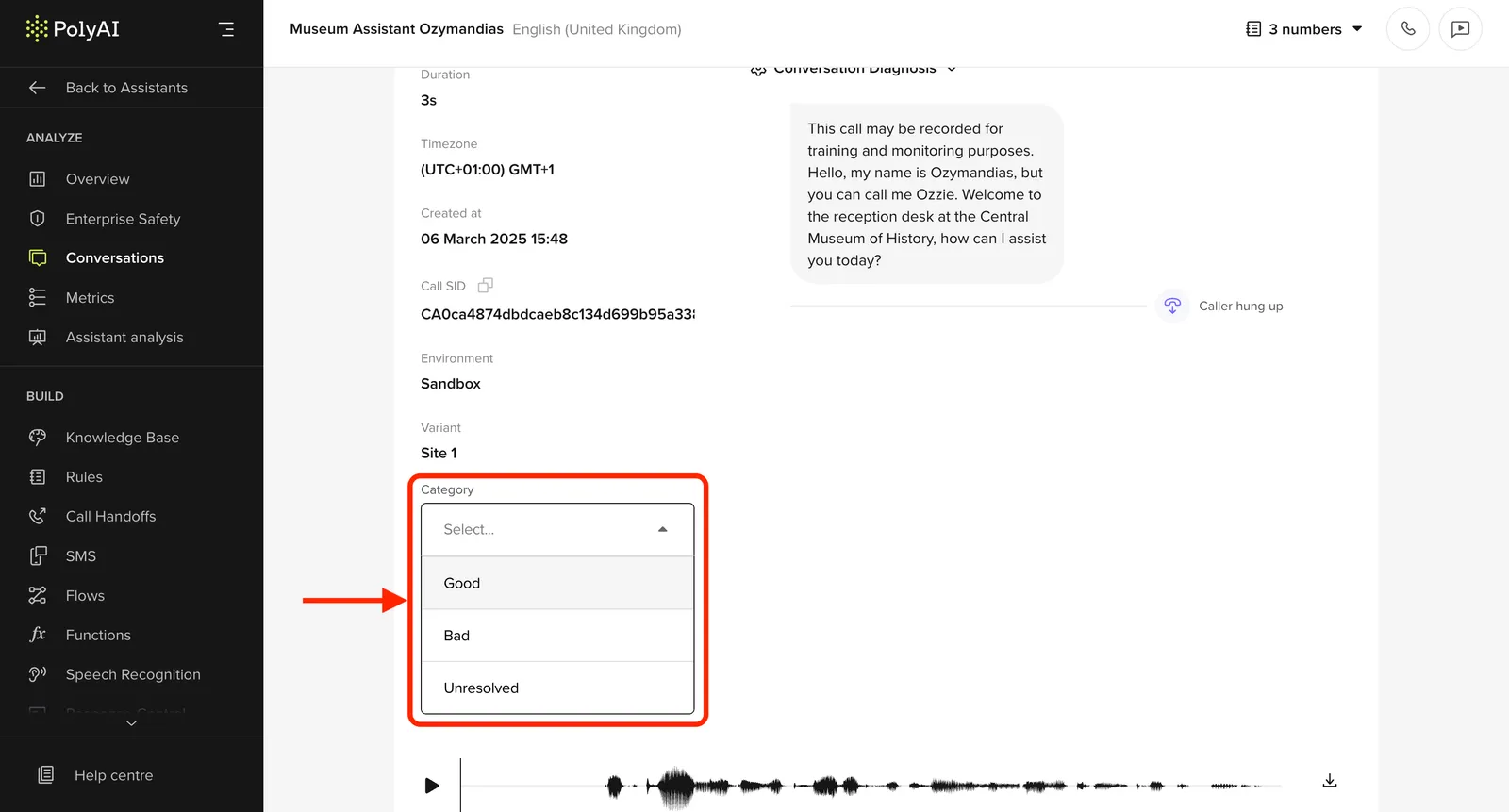
What you can do:
- Rate calls for tone, intent success, or compliance
- Use project-specific categories
- Get automatic summaries
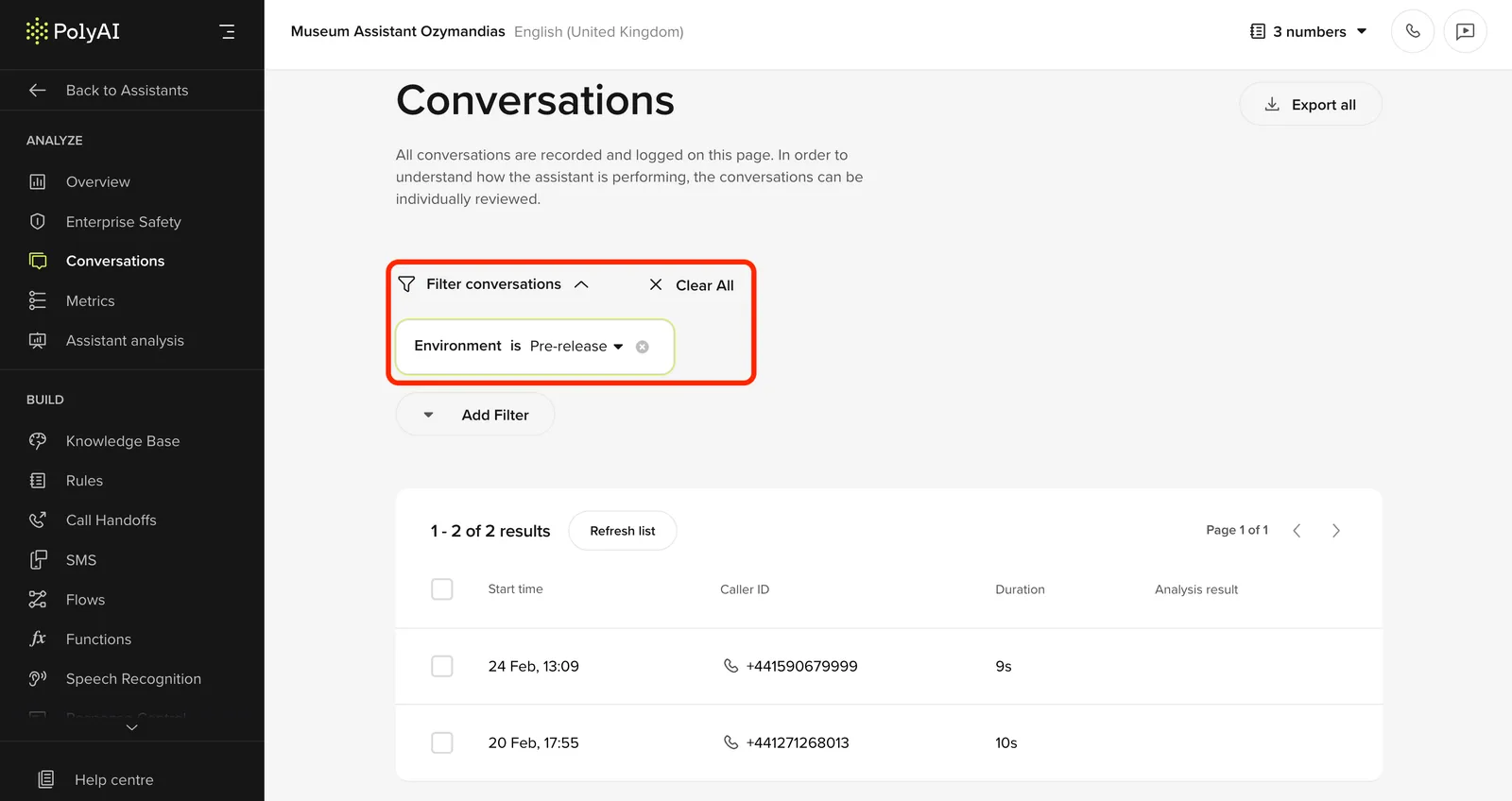
Workspace filter in Conversations
You can now filter conversations by workspace on the Conversations page.
Why it helps:
- Focus on the calls your team is responsible for
- Cleaner review experience for large orgs
Utility function – utils.extract_address
You can now extract structured address data from free-text input using a built-in LLM utility: extract_address().
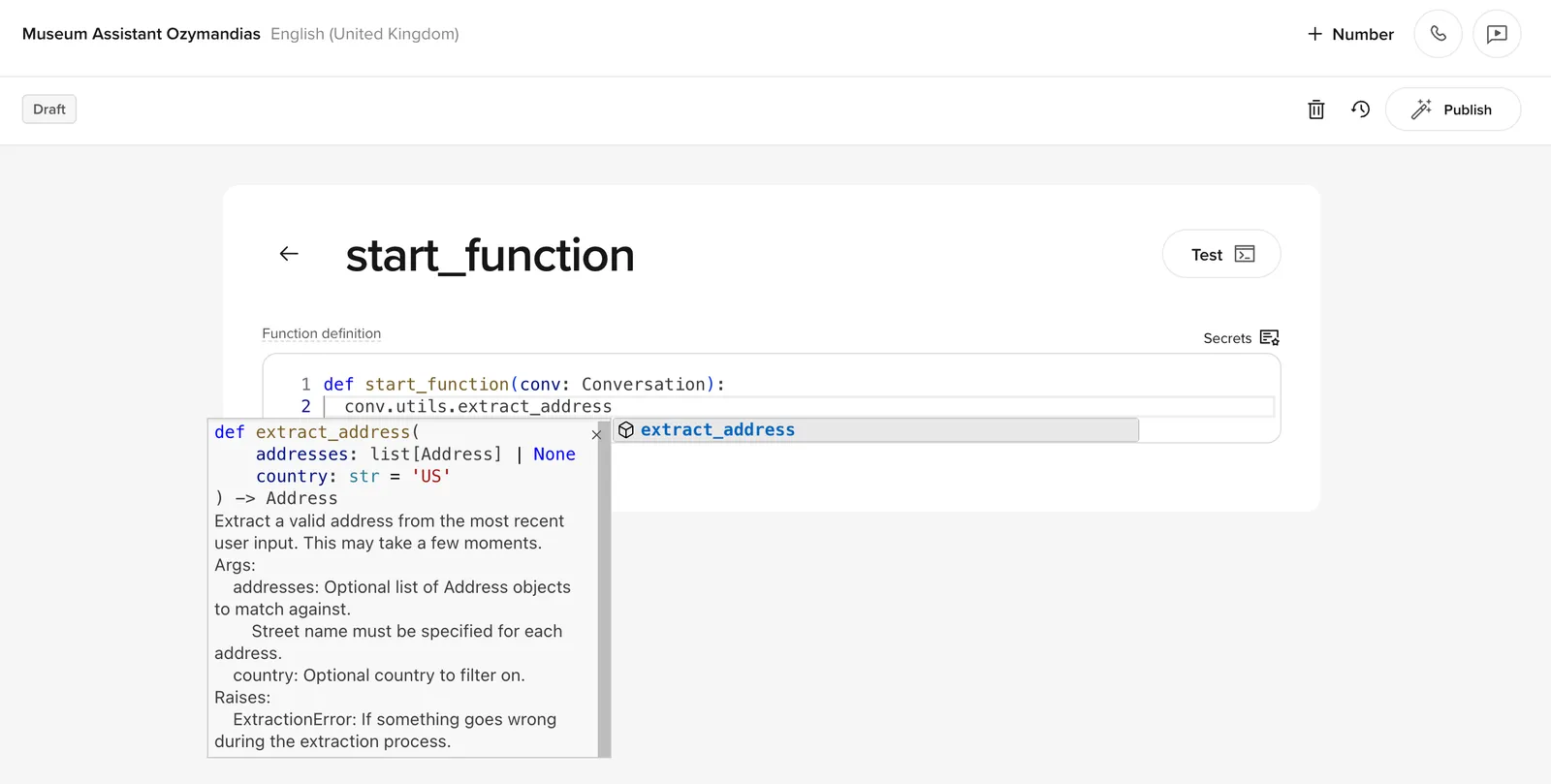
What it does:
- Parses the most recent user message for address info
- Returns an
Addressobject with fields like street, postcode, and country - Raises an
ExtractionErrorif parsing fails
Usage:
Address object:
Other details:
- Calls an LLM, so may take a few seconds
- You can optionally validate against a list of known addresses
- Some fields may be missing depending on input quality
Conversation history access – conv.history
You can now access earlier conversation turns from within utility functions using conv.history.
What it does:
- Returns a list of events: user inputs, agent replies, function calls, etc.
- Useful for writing context-aware logic
Usage:
Why it matters:
- Build logic based on what’s already happened in the conversation
- Avoid passing state manually
- Better debugging and flow control
Import and export variants
You can now export and import variants between agents or environments.
What you can do:
- Export all variant data to CSV
- Edit things like contact numbers or opening hours in bulk
- Reimport to update the same or a different agent
Why it matters:
- Makes it easy to scale across multiple sites
- No need to rebuild variant logic from scratch
- Keeps your CSVs in sync with other tools
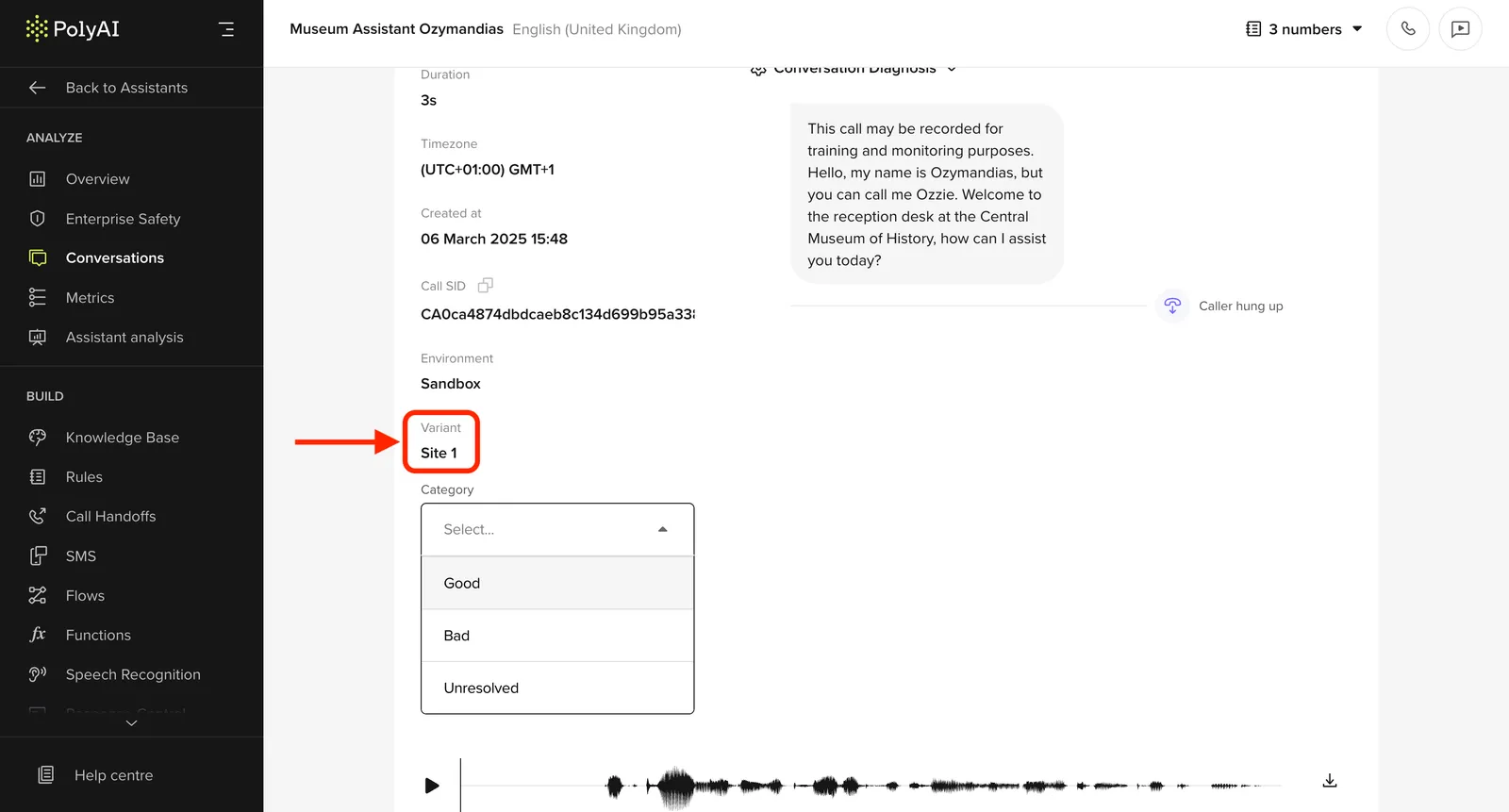
Variant ID added to conversations
Reviewed conversations now show the variant ID used in each call.
Why it matters:
- See exactly which variant was active
- Easier to debug and compare different versions
- Adds context for QA and bug tracking
Builtin handoff improvements
The built-in handoff now supports handoff reasons and custom utterances, and you can now use a handoff() method directly inside functions.
What you can do:
- Specify a reason for the handoff (e.g. compliance, escalation, etc.)
- Set a custom utterance to be spoken at handoff
- Use
handoff()programmatically inside a function.
Example usage:
Multi-voice agents
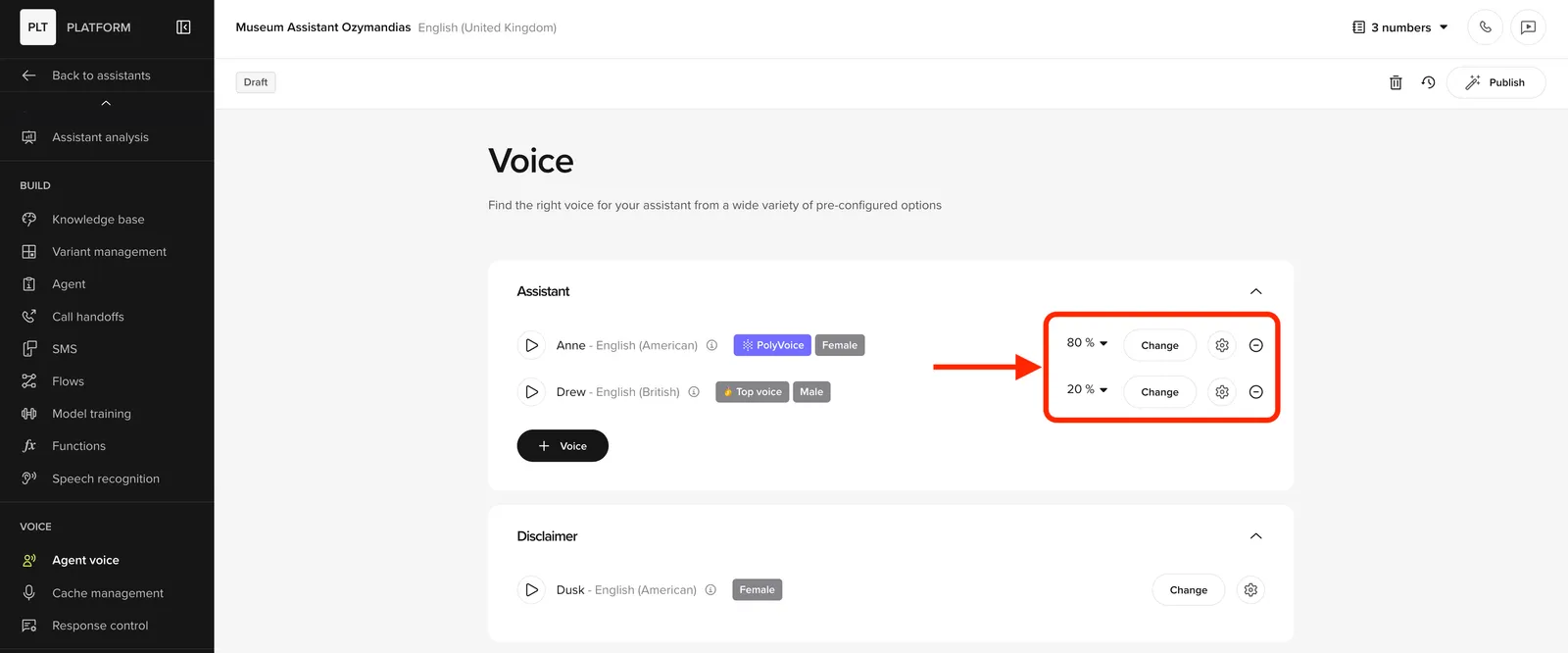
You can now configure multiple TTS voices for your agent and distribute them across calls. Use percentage values adding up to 100% to distribute the likelihood of each agent answering a call.
Why it matters:
- A/B test different voices for performance or tone
- Assign different voices to different intents or caller types
- Create more natural, human-like team dynamics
What you can do:
- Select and assign multiple voices
- Preview how your agent sounds across scenarios
For help or feedback, reach out to your PolyAI representative.