

10.2024
The October 2024 release brings targeted updates to ASR, regional expansion, version management, voice customization, and content filtering.
Expand the items for details:
ASR biasing for flows
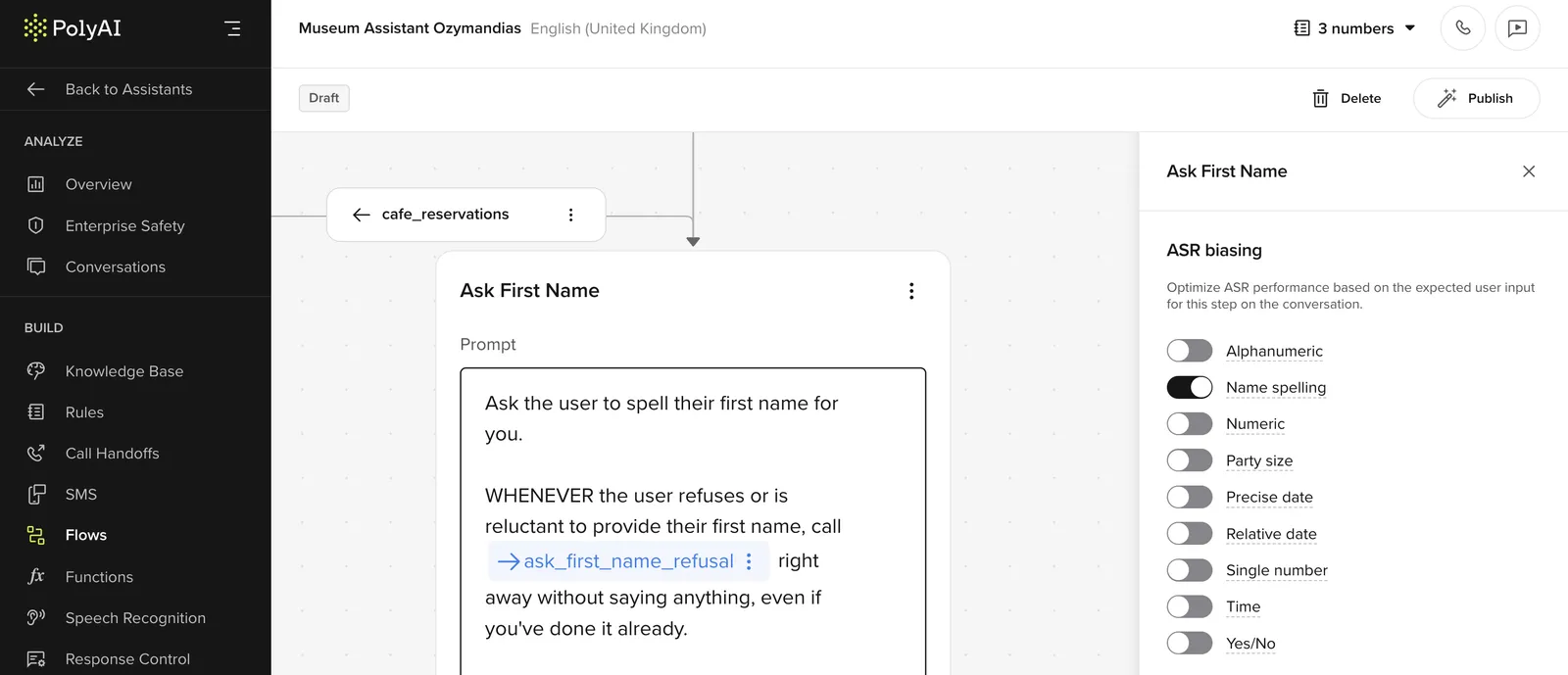
The ASR biasing for flows feature allows builders to improve ASR performance by configuring biasing for specific types of inputs at particular flow steps.
Key highlights:
- Bias for input types including alphanumeric, numeric, precise date, string number, yes/no, name spelling, party size, relative date, and time.
- Optimal biasing effectiveness is achieved by selecting the minimal necessary inputs.
Benefits:
- Improved ASR performance: Targeted biasing enhances recognition accuracy for specific input types.
- Higher recognition rate: Custom biasing ensures critical inputs are accurately captured.
How to use:
- Open the “Flows” section under the Build tab.
- Configure biasing for input types at designated Flow steps.
UK and EU regions
The studio now operates in UK and EU regions as well as the default US.
Key updates:
- EUW-1 and UK-1 production environments.
- New regional domain addresses:
- US: studio.us.poly.ai
- UK: studio.uk.poly.ai
- EUW: studio.eu.poly.ai
- Authentication formats for regional production environments remain the same.
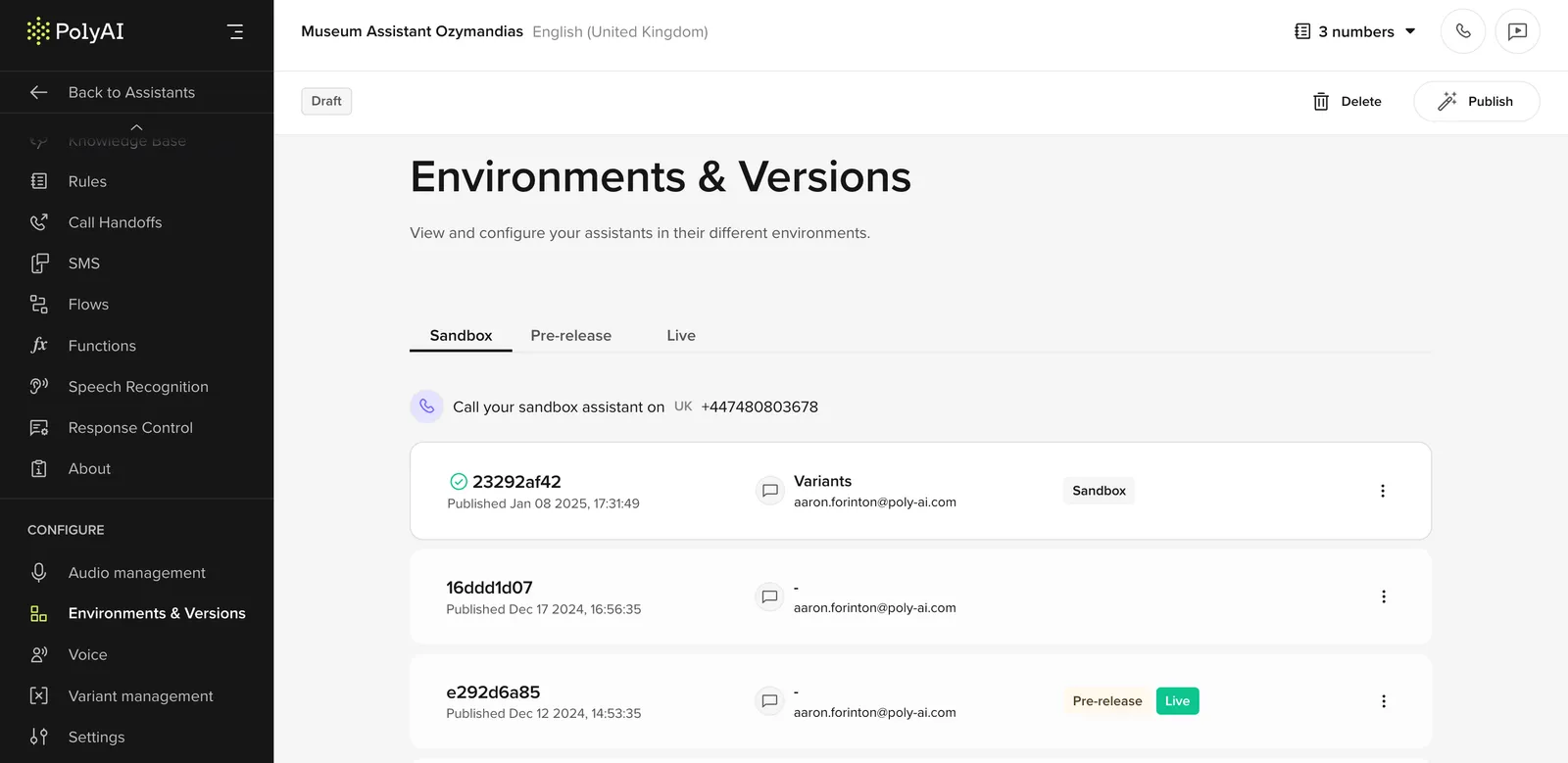
View versions
Manage and review historical, draft, sandbox, pre-release, and live versions of your agent for seamless change management.
Key highlights:
- View and manage all agent versions.
- Access historical versions for a comprehensive overview.
Benefits:
- Development and Deployment: Efficiently manage changes to align with business objectives.
- Ongoing Maintenance: Implement updates without impacting user experience.
Visit the environments and versions page for more details.
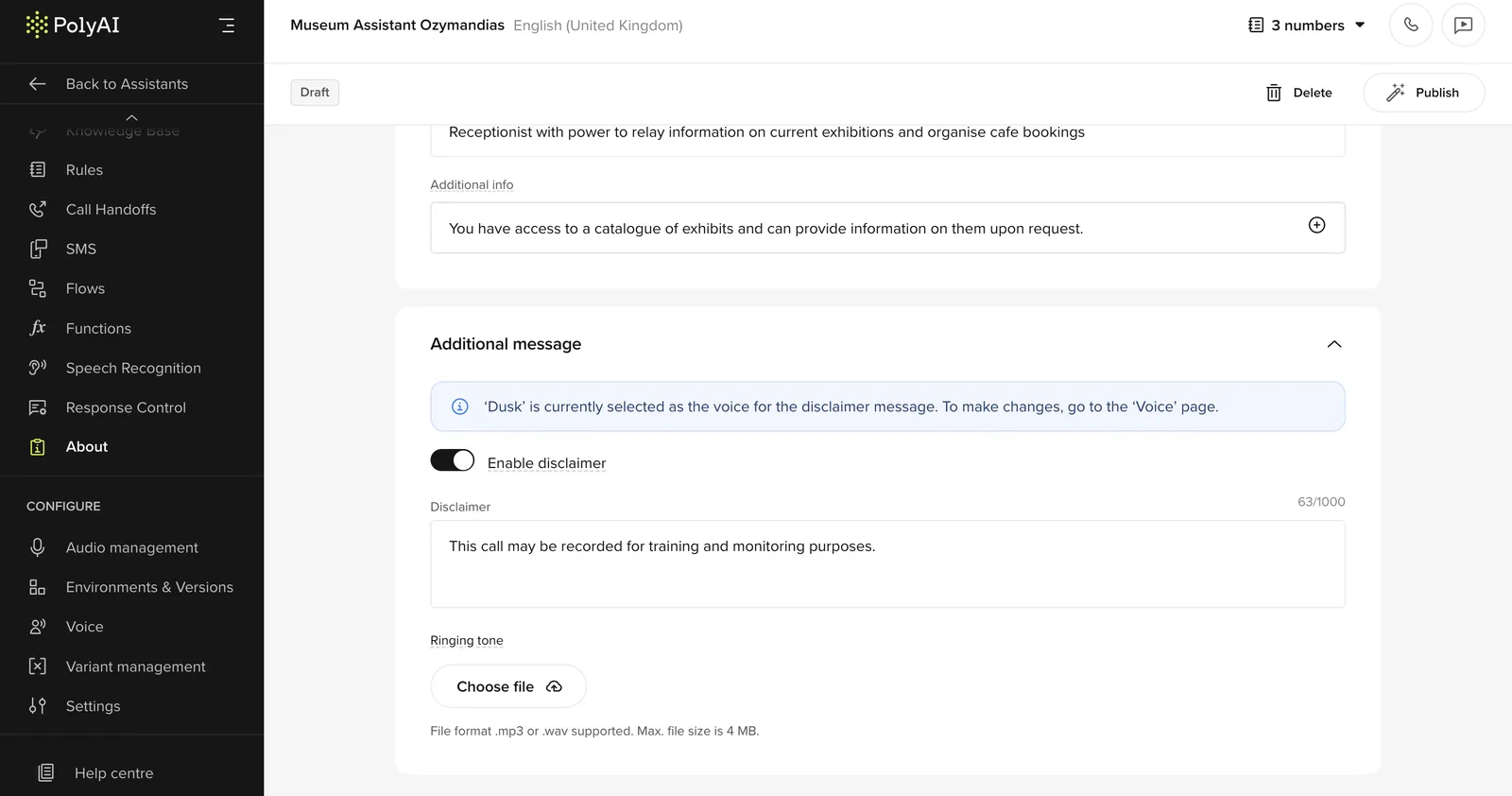
Disclaimers
Set a distinct greeting message and dial tone before the agent interaction begins.
Key highlights:
- Customize greeting messages with a separate voice.
- Upload custom dial tones for tailored interactions.
How to use:
- Go to the “Agent” section.
- Enable the disclaimer message and configure the greeting and tone settings.
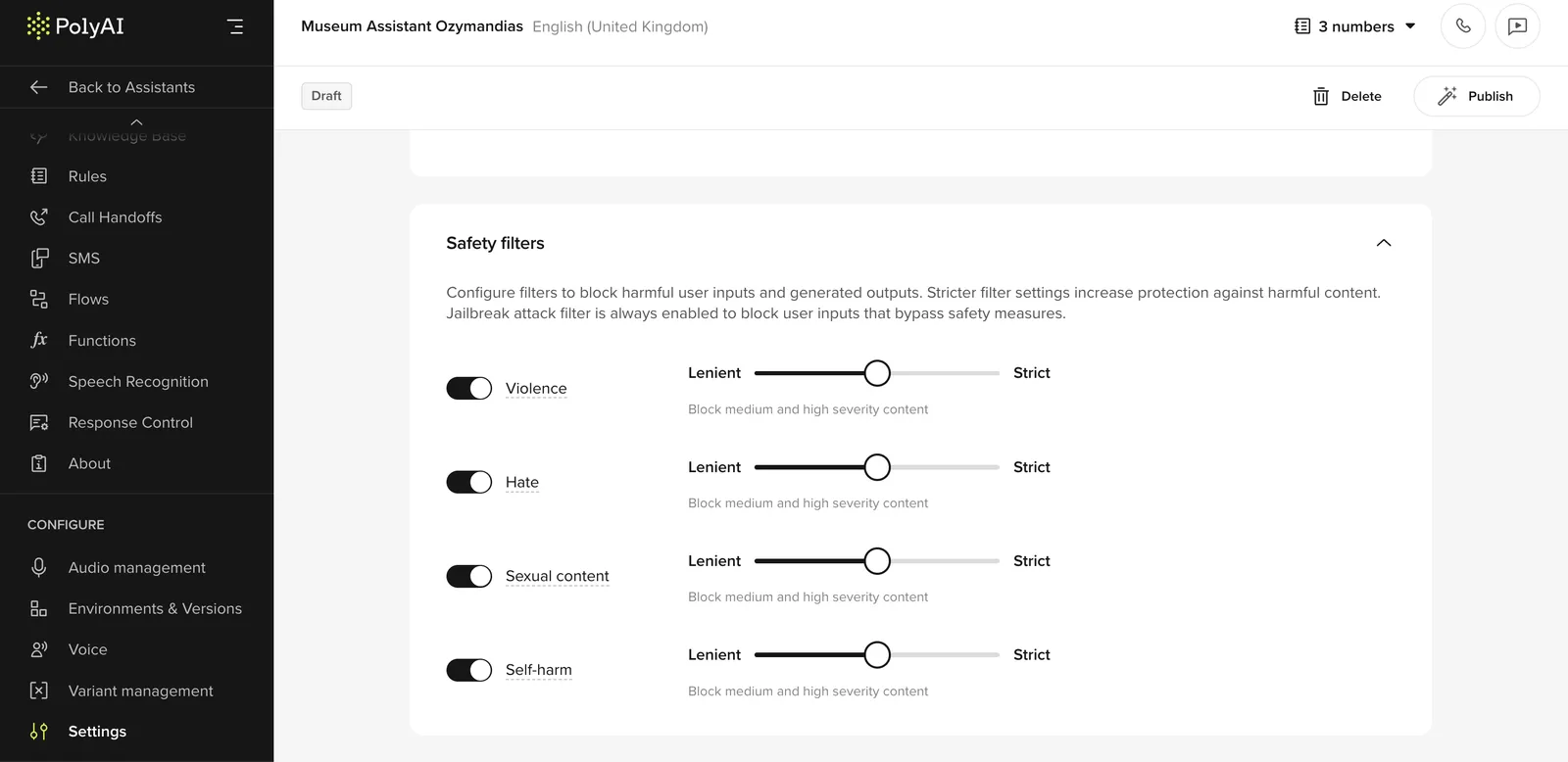
Content safety filters
Gain full control over Safety Filters directly in the studio UI. Builders can fine-tune severity settings or disable specific filters to better align with project requirements.
Key highlights:
- Adjust filter severity to match client risk tolerance.
- Disable specific filters when necessary.
How to use:
- In the “Settings” section, modify filter thresholds using the slider or disable filters as needed.