

Twilio
For basic Twilio number and SMS setup, see Voice > Numbers > Twilio.
Connect Twilio to your PolyAI project from Agent Studio. PolyAI uses your Twilio API credentials to automatically provision the SIP trunk(s) needed to route calls to your agent — you just bring your API keys and your own phone numbers.
Quick setup
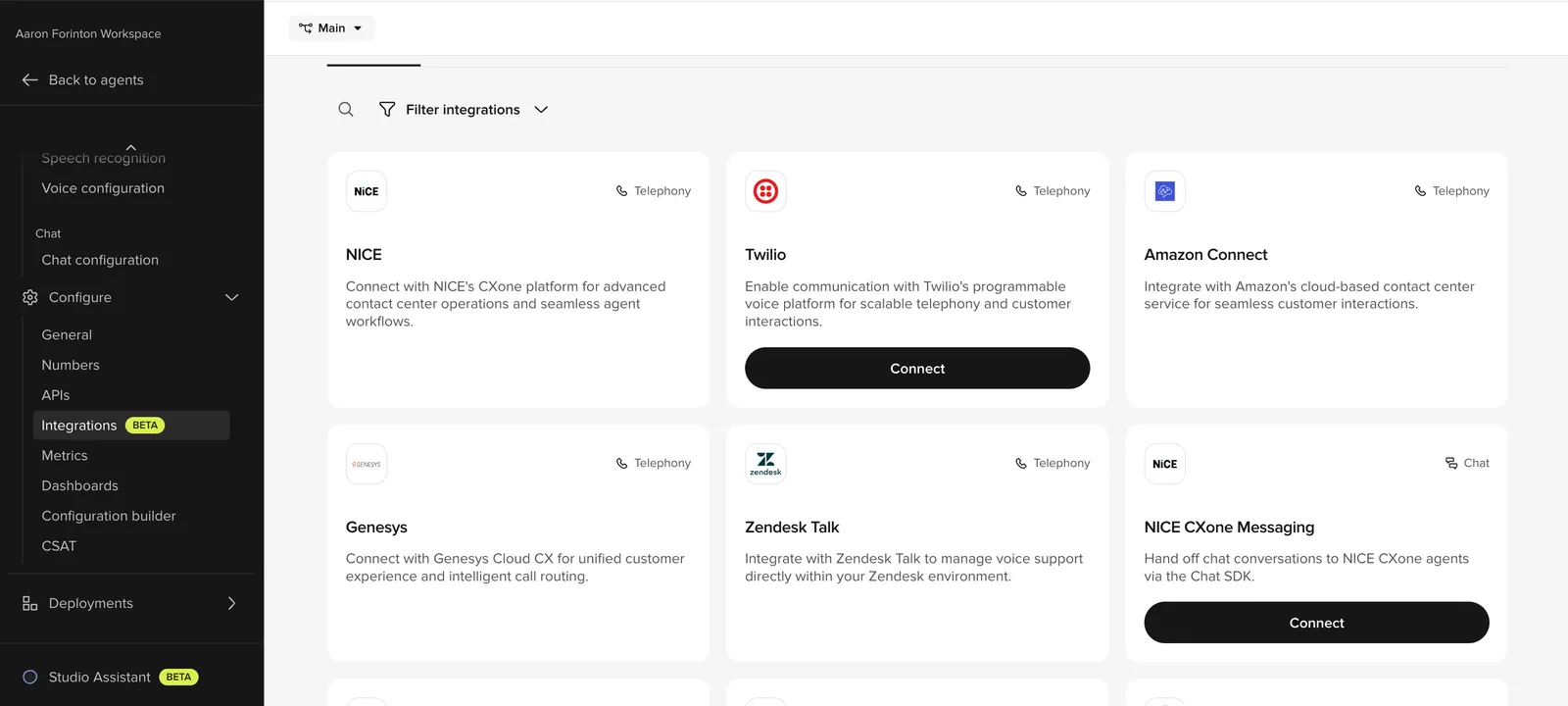
Enter your Twilio account credentials
In the Step 1: Twilio account credentials panel, paste:
- API Key
- API Secret
- Account SID
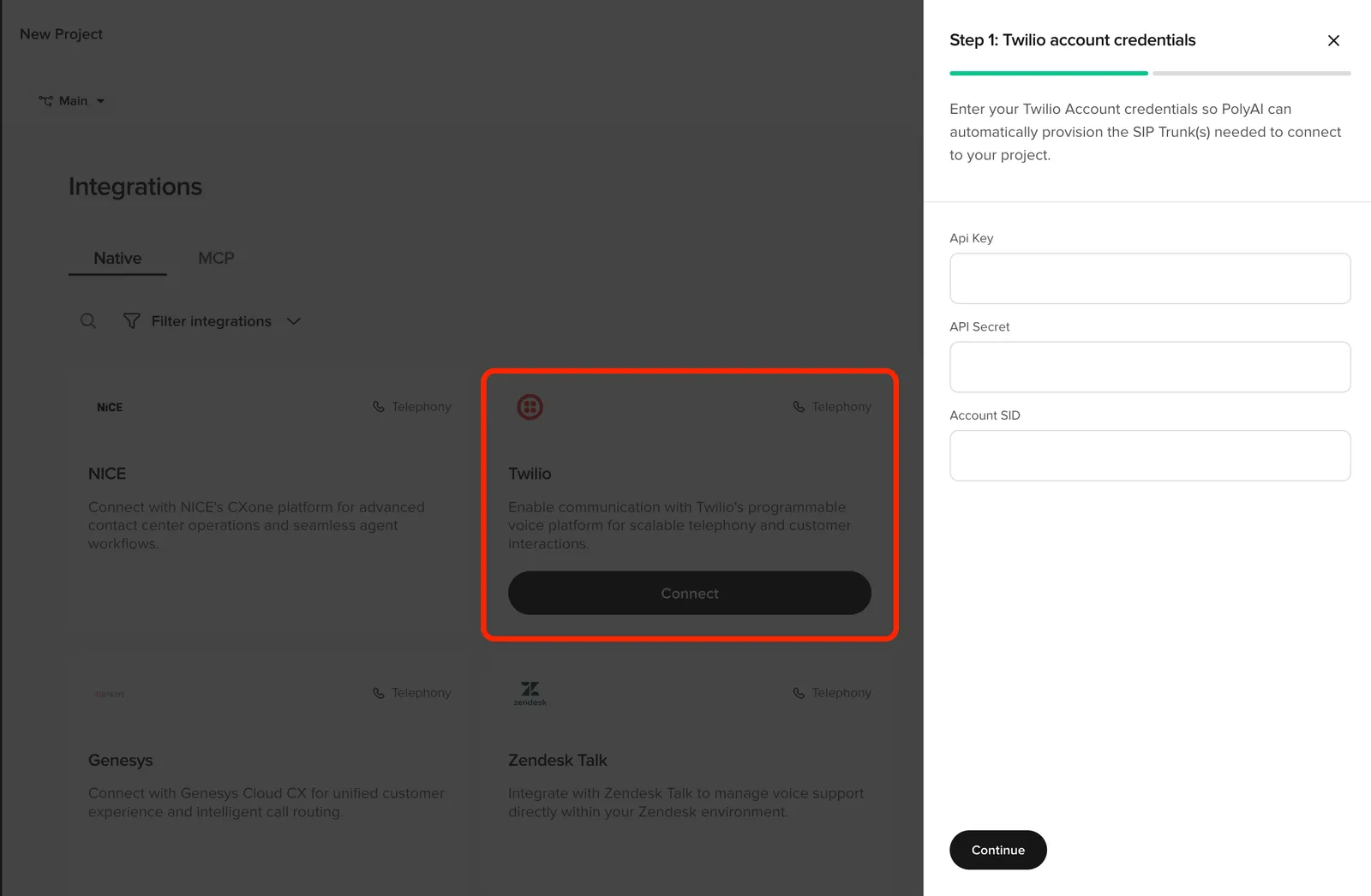
PolyAI uses these to provision the SIP trunk(s) on your Twilio account. Click Continue.
That’s it — no manual TwiML, no PolyAI ticket, no shared SIP trunk to negotiate.
Where to find your Twilio credentials
In the Twilio Console:
- Account SID — top of the Account Info panel on the dashboard.
- API Key + API Secret — Account > API keys & tokens > Create API key. The secret is shown once at creation; copy it before closing the dialog.
Use a Standard API key with permissions to manage SIP trunks on the account.
Editing or removing the integration
- Update routing — re-open the Twilio card in Integrations to add or remove numbers per environment.
- Disconnect — use the Disconnect action on the integration. PolyAI removes the routing on its side and tears down the SIP trunk it provisioned.
Configuring handoffs
After the integration is connected, configure how calls transfer back to human agents in Voice > Handoffs. See Call handoffs for the full reference.
Related pages
- Voice > Numbers > Twilio — basic Twilio number and SMS setup
- Call handoffs — configure transfer destinations
- Voice integrations — other voice platforms